
Retail Installation
A spatial retail installation that turns a storefront into an immersive, interactive brand experience, covering concept, design and front-end build, led by me.

What I made
I designed and built an immersive retail installation for a physical storefront, as sole lead from concept, spatial planning and visual design through to the working interactive screens.
Working from an established brand identity, I transformed the space into an environment visitors explore through layout, materials, lighting, and visual storytelling. Beyond the display, two interactive experiences guide customers through the brand as they move through the room: a touchless 360° product viewer and a dual-screen ordering catalogue.
This was a design-and-build role end to end: research, paper concepts, interaction flows, front-end code, and motion work all landed together in one finished installation.
The problem
How can a retail environment go beyond product display to create a memorable, immersive brand experience that engages visitors physically and emotionally while guiding them through the space intuitively?
Who it’s built for
The installation serves two audiences at once: shoppers exploring products on their own, and customers placing orders with staff at the screens. That shaped every decision. The 360° viewer is self-serve and touchless so anyone can browse hands-free, while the dual-screen catalogue is deliberately collaborative, letting a customer and a staff member work side by side through an order.
Process & research
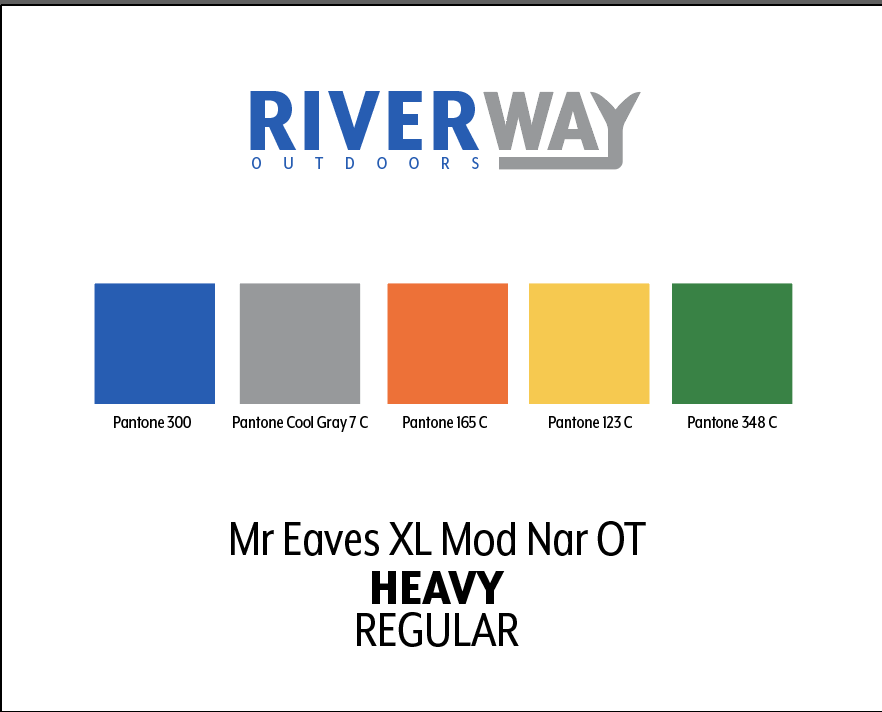
The project started with an established brand system of defined colours, typography and logo assets. My task was translating that identity into physical space, not inventing a new one.
Research focused on contemporary retail environments and experiential design: how leading installations use layout, spatial hierarchy and interaction to guide user flow.
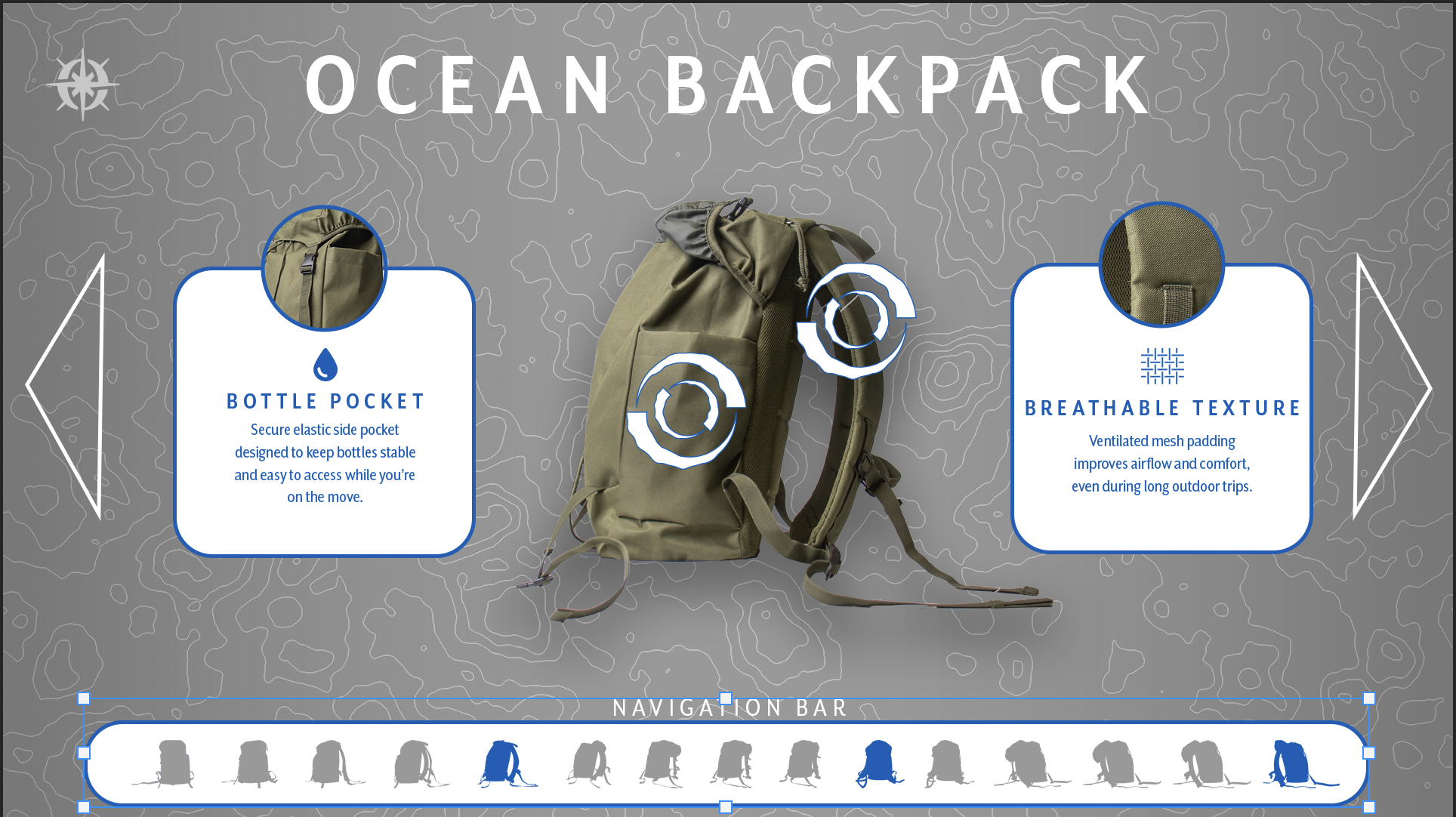
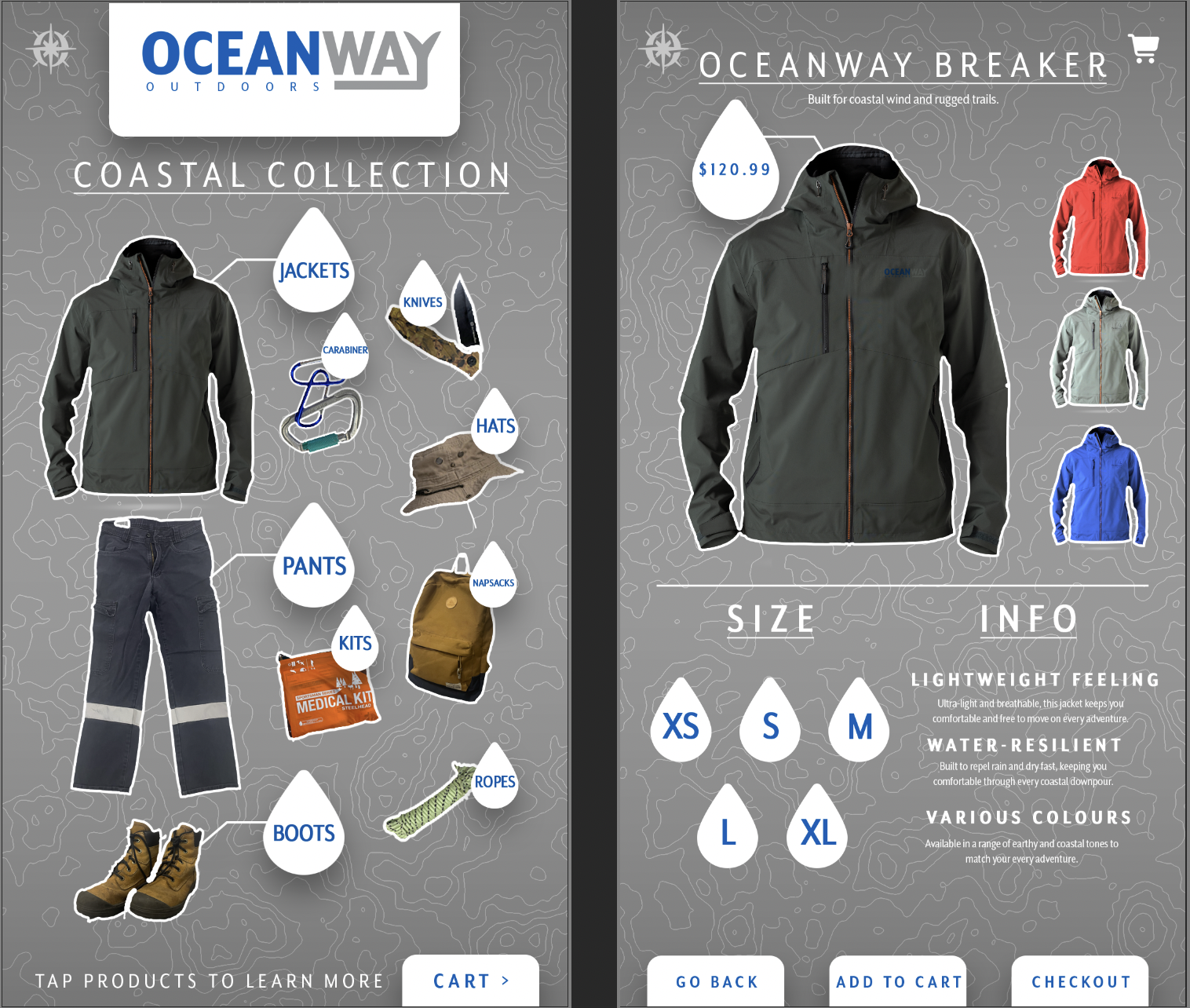
The mockups below are my early layout and concept explorations. Each was iterated and refined against the brand until the final installation felt cohesive, functional, and visually on-brand.
The experience
Three connected pieces carry the brand inside the space: a touchless 360° product viewer, a collaborative dual-screen ordering catalogue, and marketing materials that keep the identity consistent beyond the screens.
360° touchless product app
Full 360° product exploration with no physical contact. Visitors rotate and examine items through gesture-based interaction, giving them the in-store handling experience in a touchless, accessible format while keeping engagement high.
The feature replicates real product handling digitally, which improves accessibility and makes each product feel tangible before anyone touches it.
Dual-screen catalogue app
Customers and staff interact with the catalogue at the same time, browsing, comparing and selecting products with detailed specifications and live availability.
Working side by side, the two screens streamline the ordering process and improve communication inside the retail environment.
Marketing materials
Cohesive collateral that extends the brand beyond the screens. Shared typography, colour, and layout keep every touchpoint, digital and printed, reading as one unified, professional presence.
Each asset communicates key product information while staying visually consistent with the installation it sits beside.
The result
The installation takes an established brand and carries it from screen to space: a storefront that becomes something people move through, not just look at.
The demo below shows the experience in use: how visitors move through the environment, engage with the touchless gallery, and place an order on the dual screens.
Space as experience
Layout, materials, lighting, and visual storytelling turned a product display into an environment people intuitively move through.
Touchless buying
Gesture-based 360° viewing removed physical contact and replicated in-store handling, making it more accessible and more engaging.
Streamlined ordering
A two-screen catalogue let customers and staff work together, cutting ordering friction and improving communication.
Feedback & revisions
The first-round mockups were free explorations of layout and visual concepts, and the feedback came back consistent: they didn’t yet feel like the brand.
I went back through every screen and re-checked it against the identity system. The rotating display and the dual-screen catalogue were both restructured to live inside the same visual rules, until the space read as one cohesive installation rather than a demo of three separate ideas.
The final approval only came once the room looked like a single brand, which is exactly the outcome the critique was pushing for.
What I learned
Spatial design is user flow, not decoration: every surface and screen either guides a visitor or blocks them. I learned to treat the room as the interface and the screens as the controls.
Translating a 2D brand into physical space meant the identity had to hold up across materials, lighting, and motion, not just pixels.
Next time I’d prototype the interactive flow earlier and test it in the installation’s actual lighting, before the design was locked.
What I contributed
I owned the project end to end, from first concept to the working installation.
Concept development, spatial planning, user flow, visual design, the interactive apps, and the motion work were all produced by me. After Effects handled the motion and promotional pieces; the two interactive experiences were built and running in HTML, CSS, and JavaScript.
Spatial & UX design
Concept development, spatial planning, and designing how visitors move through the space.
Interaction design
Gesture-based 360° product viewing and a collaborative dual-screen ordering flow.
Front-end build
The interactive experiences built and running in HTML, CSS, and JavaScript.
Motion & brand
After Effects motion work and marketing assets that keep the identity consistent to the last touchpoint.