Headlines
Display: Condensed sans, extra-bold
Use: News titles, promo lockups
Wide, heavy type carries the primary story in each panel. Letter-spacing is pulled in so a long headline still fits the zone without wrapping into noise.

A CP24-inspired display for Durham College, covering news, weather, dining and ads, readable at a glance.
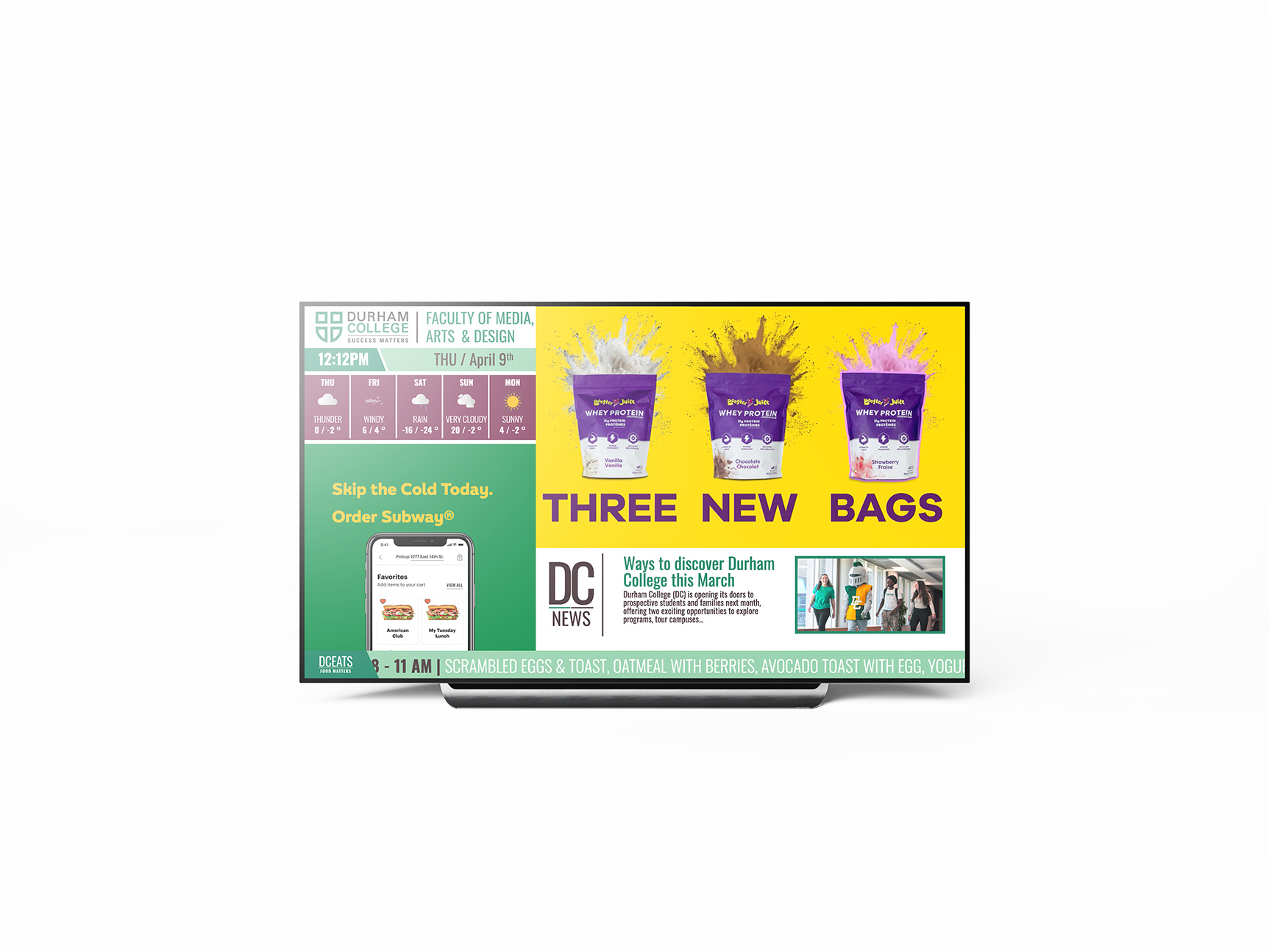
A web-based digital signage system for Durham College, modeled on CP24’s broadcast layout: a live-style news panel, weather, a dining ticker, embedded video, and a rotating ad space.
The job was density without chaos. Public screens get a few seconds of attention, so every zone had to scan independently while still reading as one station rather than a stack of widgets.
How can a fast-paced, information-heavy interface stay clear, engaging, and easy to read?
Campus hallways are the audience: students moving between classes who need weather, dining, and college news without stopping to hunt. Inspired by CP24, the challenge was to split those streams (news, weather, dining, advertising) into a system you can scan and understand in passing.
I started with CP24’s layout system: how a broadcast screen segments information, what stays locked, and what is allowed to move. News stays primary. Weather is a persistent rail. Ads and tickers cycle without stealing the frame.
That split told me which parts of the signage had to stay predictable for a walking viewer, and which parts could carry motion and promotion.
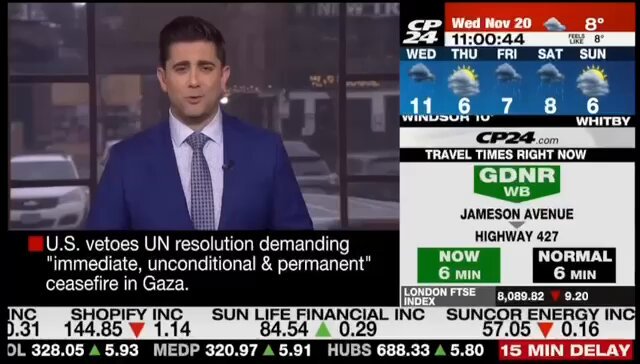
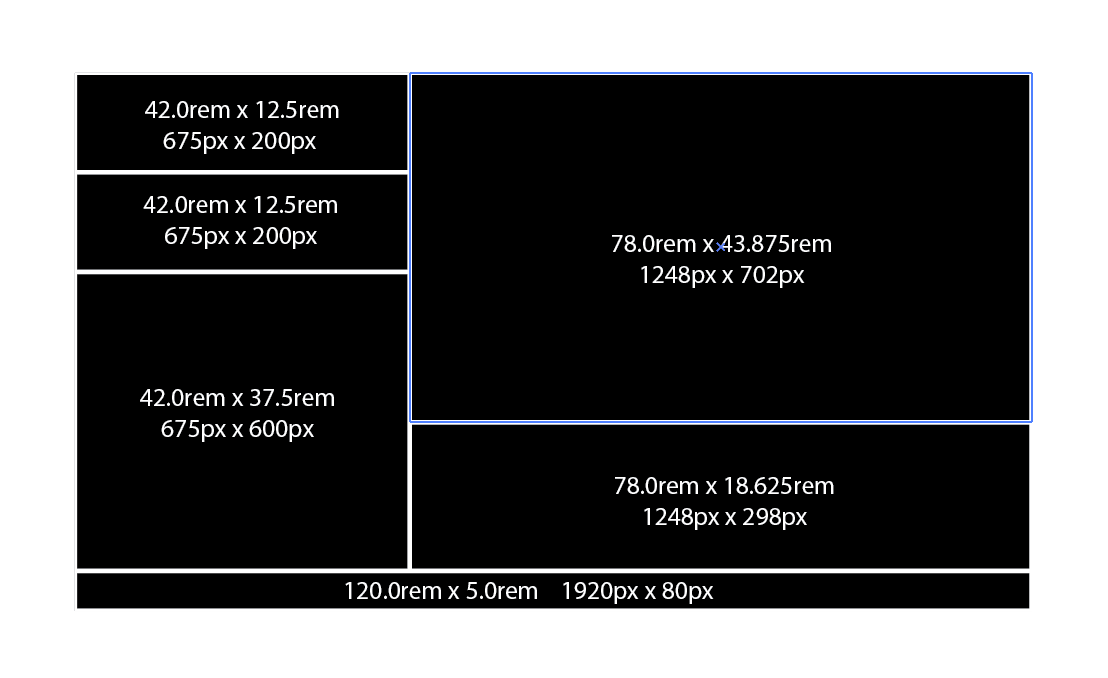
The screen is a modular grid. Weather, news, ads and live content each own a zone and update on their own clock. Nothing waits on anything else. It is the same logic as a news desk, translated to the web.
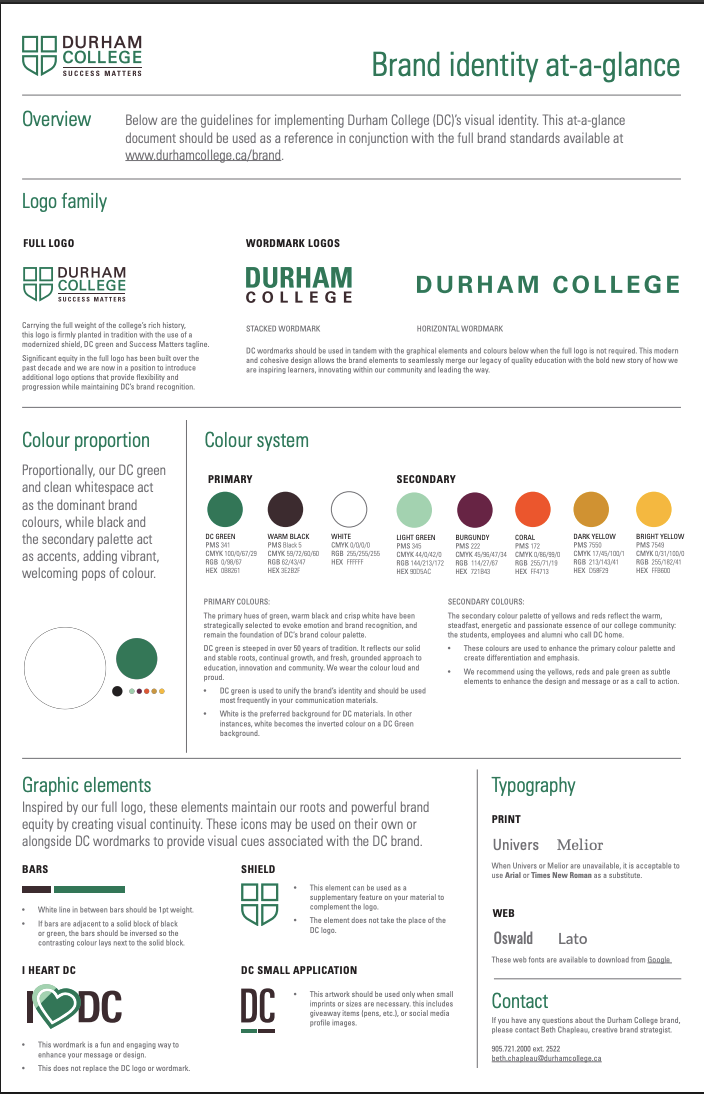
What holds it together isn’t a shared animation. It’s consistent type scale, locked gutters, and a palette that can carry both college identity and commercial spots.



A near-black stage so video and photography recede into “broadcast.” Durham green marks college chrome. A high-vis yellow is reserved for time-sensitive prompts. White type stays the default for scanability across the room.
Broadcast screens live or die on hierarchy. Headlines are condensed and heavy so they hold from across a hallway. Supporting copy stays open enough to read in a glance. The ticker is all-caps and tightly tracked, so it has to feel like news, not a website nav.
Display: Condensed sans, extra-bold
Use: News titles, promo lockups
Wide, heavy type carries the primary story in each panel. Letter-spacing is pulled in so a long headline still fits the zone without wrapping into noise.
Display: Tabular figures
Supporting: Short labels
Numbers are the content. Temperature, time and forecast stay large and even-width so conditions change without the layout shifting.
Display: Uppercase sans
Supporting: Motion, not size
Dining and announcements stay secondary by staying small and in motion. If the ticker shouted, it would compete with news. If it sat still, it would disappear.
Structure stays fixed. Content is what moves. I locked panel size, type scale and update rhythm so weather, news and ads can swap copy without teaching the viewer a new layout every cycle.
The three modules below are the working interface: ticker, weather rail and ad well.
HTML, CSS and JavaScript built the grid. GSAP handled the broadcast feel: ticker speed, ad transitions and panel state changes. Iteration was mostly timing: fast enough to feel live, slow enough to read.
The weather rail and ticker had to loop without a hitch. If motion stutters on a hallway screen, the whole thing reads as a broken TV, not a news desk.
The finished display puts the whole desk on one screen: college chrome at the top, news and weather as the persistent rails, video and rotating ads in the live well. GSAP drives the ad panel; embedded video keeps it feeling like a station, not a slideshow.
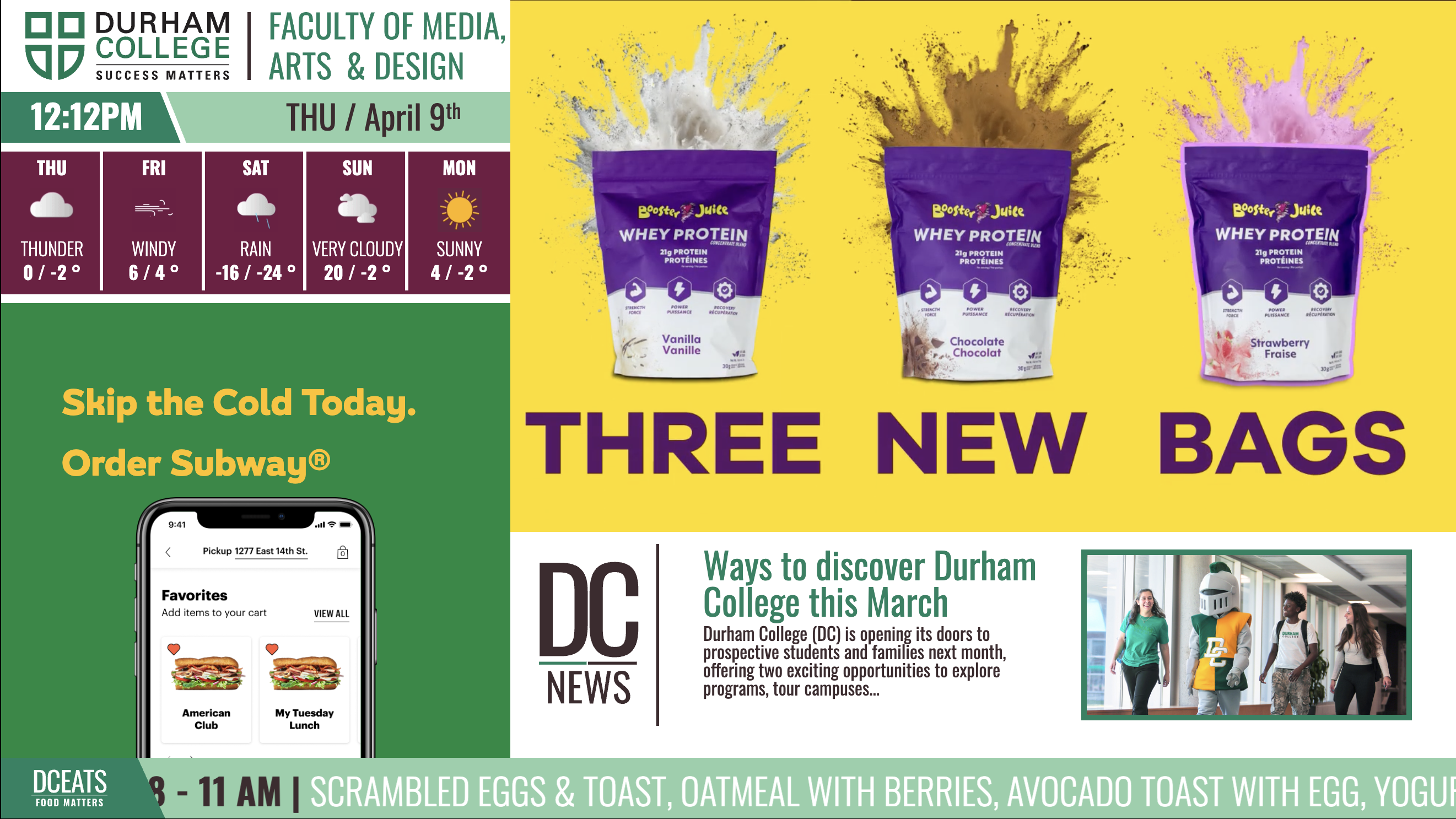
The layout system survived its first critique almost untouched. What kept getting pushed back on was the motion: too fast and a headline was unreadable mid-pass, too slow and the screen looked asleep.
The dining ticker and weather rail were re-tuned most often. They now loop at a speed for someone walking a corridor, and the ad transitions were tightened so video never steals the frame from the news panel.
That trade-off, feeling live while staying readable, became the rule every other screen decision was checked against.
Broadcast design is a discipline of restraint. The instinct is to make every zone move; what actually worked was deciding in advance which zones carry motion and which stay locked, so a walking viewer always knows where to look.
The grid did more work than any single panel. Once structure, scale and rhythm were fixed, new content almost designed itself against them.
Next time I’d prototype the display at real corridor distance before the type scale was locked in.
I led the full design and development process, from layout through motion and front-end build.
That covered the CP24-informed grid, content structure for news, weather, dining and ads, visual styling, and GSAP motion. The work was translating broadcast principles into a web signage experience that holds up in a public corridor.
The modular grid that zones news, weather, dining and ads into independent panels.
GSAP ticker and ad transitions timed to feel live without stealing the frame.
Fixed structure, type scale and rhythm so content swaps without teaching a new layout.
HTML, CSS and JavaScript with GSAP driving the whole display.